> For the complete documentation index, see [llms.txt](https://docs.nannyml.com/cloud/llms.txt). Markdown versions of documentation pages are available by appending `.md` to page URLs; this page is available as [Markdown](https://docs.nannyml.com/cloud/v0.24.0/product-tour/model-side-panel/model-settings/data.md).
# Data
Schema
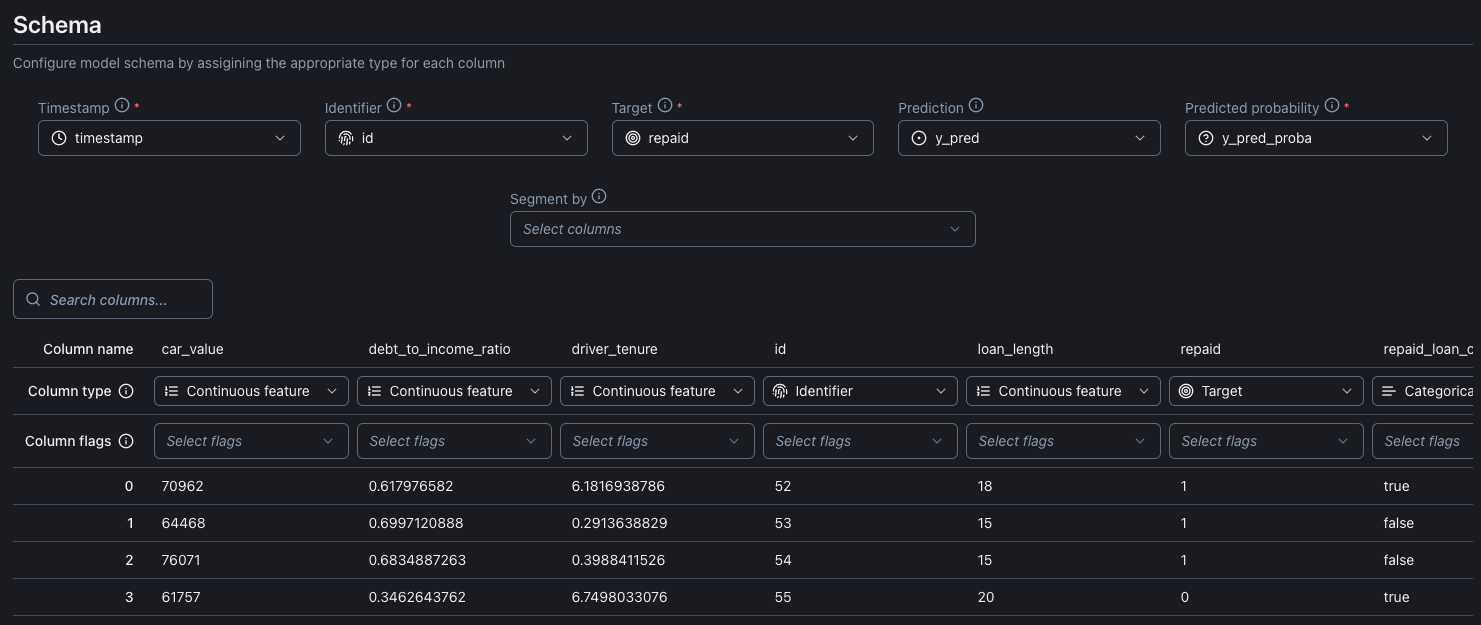
On Data settings page you can configure or change the configuration for the table schema for the model's dataset. Here it is possible to point on the dataset schema the mandatory NannyML data like:
* Timestamp: The date and time the prediction was made.
* Identifier: Unique identifier for each row on the dataset.
* Target: The actual outcome of what your model predicted.
* Predicted probability: The probabilities assigned by a machine learning model regarding the chance that a positive event materializes
It is possible also to point columns on the dataset schema for non mandatory NannyML data like:
* Prediction: The prediction made by the model.
* Segmented by: Segmentation allows you to split your data into groups and analyze them separately
You can find more information about the meaning of the mandatory and non mandatory information on the NannyML Cloud by clicking the info icon beside the information label.
{% hint style="info" %}
**Segmentation** allows you to split your data into groups and analyze them separately. Each segmentation column provides a separate group of segments that are not combined.
For example having 'gender' and 'region' as segmentation columns might result in 'gender: male', 'gender: female' and 'region: US' segments but there won't be a 'female-US' segment. If you want to analyze combined segments, you should create a new column that combines the segments you want to analyze together.
{% endhint %}
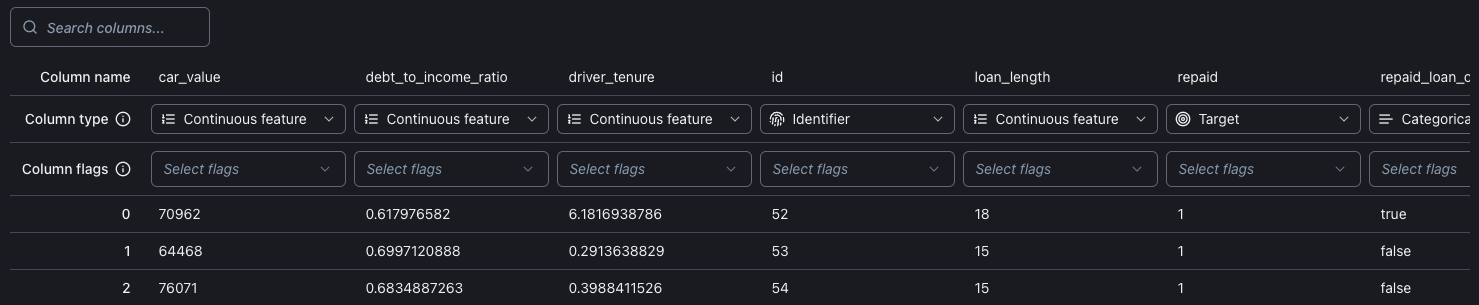
It is also possible to assign the columns on the schema dataset to the NannyML Cloud information directly from the table view.
Each column can have a special Column flag field. Right now it is possible to use this field to add segmentation to the columns.
### Data Sources
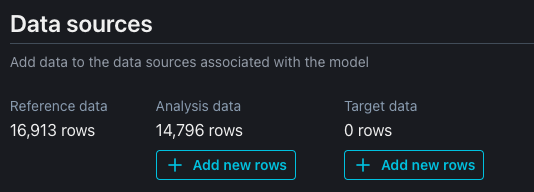
Under datasets, you can manually add more analysis and target data.
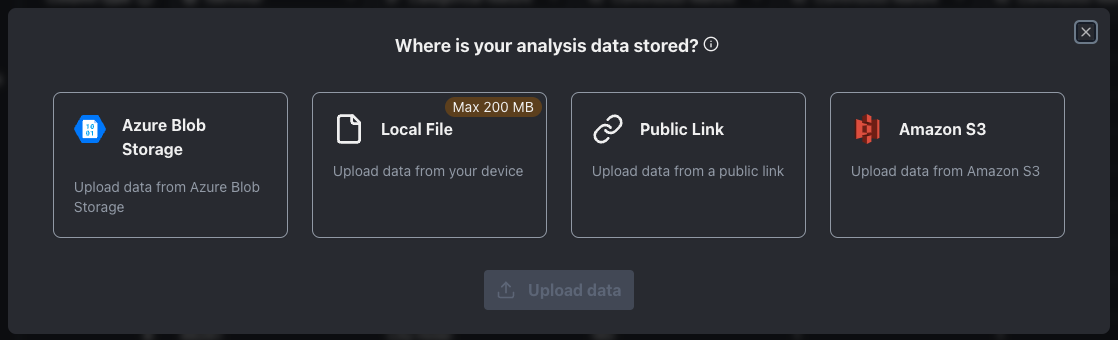
The new datasets can be imported from:
* Azure blob storage
* Local file (the maximum size for the file is 200MB)
* Public link
* Amazon S3
New datasets can also be imported using NannyML SDK. Check out the documentation [here](https://docs.nannyml.com/cloud/nannyml-cloud-sdk).