# Custom Metrics

## Introducing Custom Metrics

NannyML offers some standard metrics to monitor your classification and regression models. But sometimes you need something more customized to ensure your model performs adequately. The Custom Metrics functionality solves this issue. You can create custom metrics to monitor your machine learning models in ways better suited to your particular circumstances.

NannyML allows you to both calculate the performance of your model using your custom metric but also estimate the performance according to that custom metric. Let's see how this works!

## Using Custom Metrics

You can access the *Custom Metrics* settings on the top left of your screen, as you can see below:

<figure><img src="https://content.gitbook.com/content/XHZtmbIWCoRBaGjIyKin/blobs/XxupzO6WWXsDiZ7HhUHX/20240823-1%20summary.png" alt=""><figcaption><p>Accessing the Custom Metrics Settings</p></figcaption></figure>

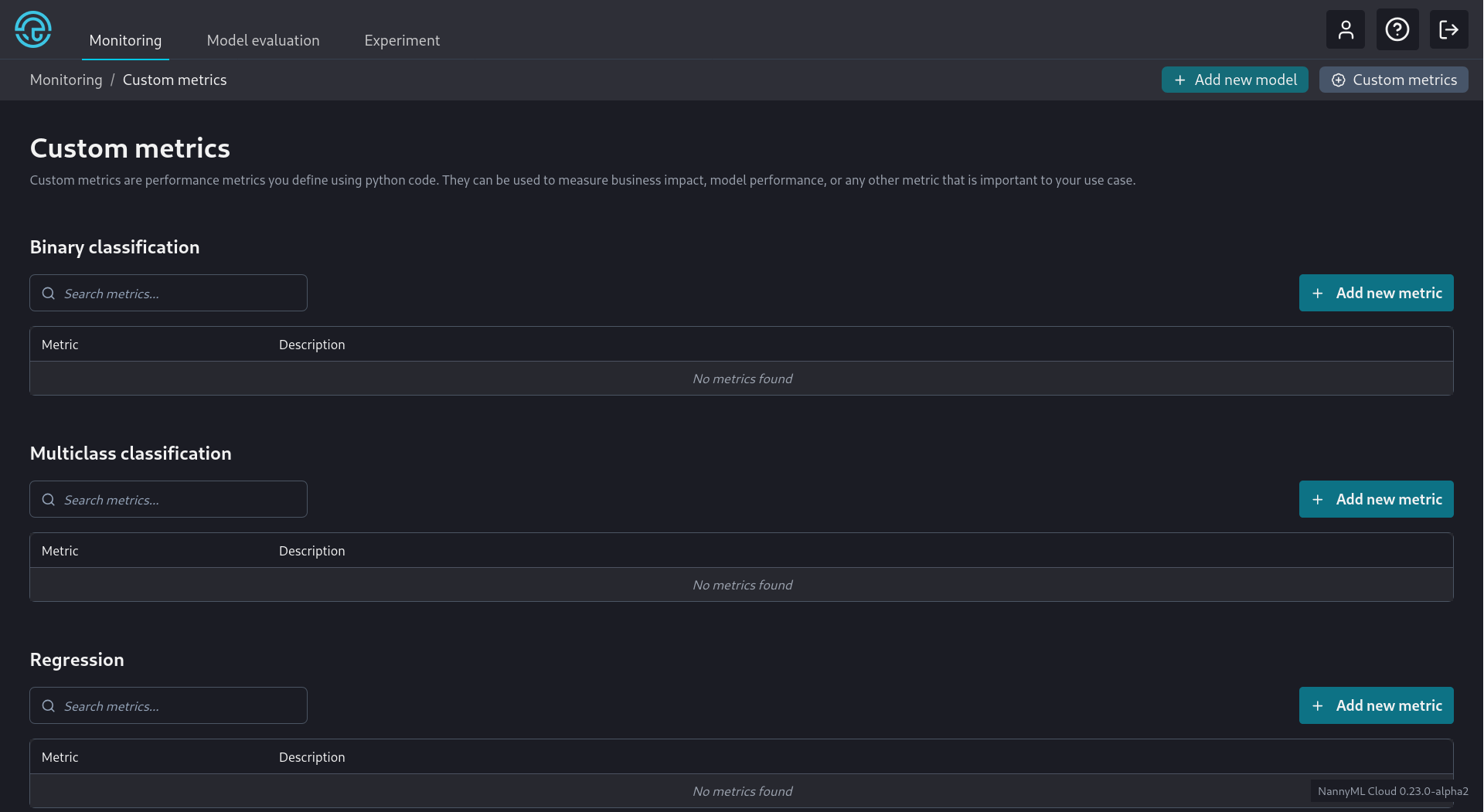
There are three types of custom metrics supported. Binary Classification, Multiclass Classification, and Regression. They are organized separately on the Custom Metrics settings page shown below:

<figure><img src="https://content.gitbook.com/content/XHZtmbIWCoRBaGjIyKin/blobs/zV0pi8YTAoNPk2cUKhjR/20240823-2%20CM%20Settings.png" alt=""><figcaption><p>Custom Settings screen</p></figcaption></figure>

It is straightforward to add a new custom metric. Let's go through the process for each metric type.

{% tabs %}
{% tab title="Binary Clasification" %}
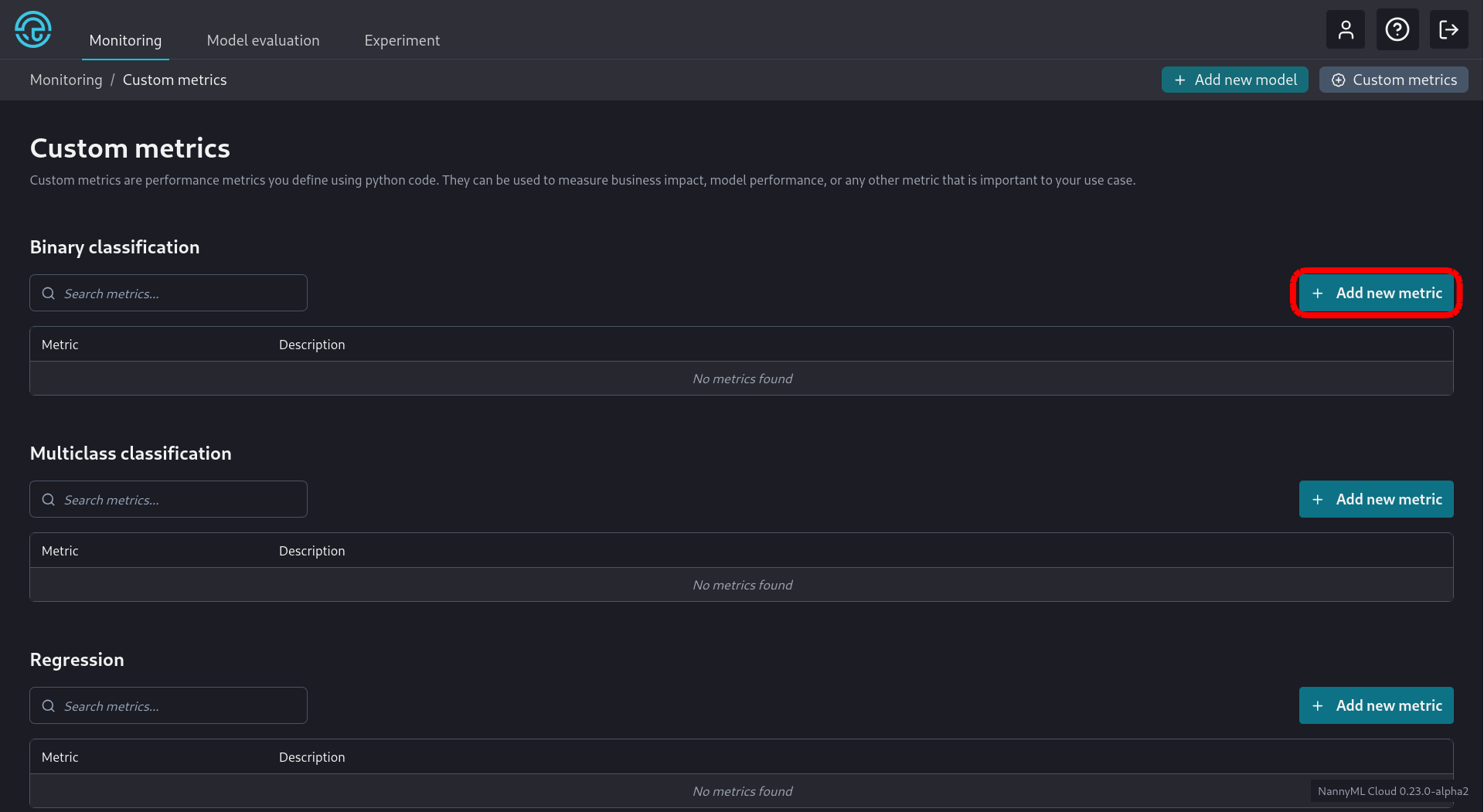
We click the appropriate *Add new metric* button as seen below:

<figure><img src="https://content.gitbook.com/content/XHZtmbIWCoRBaGjIyKin/blobs/GscnvI9Bp5DChjD8MvYJ/20240826-1a%20CM%20Settings.png" alt=""><figcaption><p>Adding a new Custom Binary Classification Metric</p></figcaption></figure>

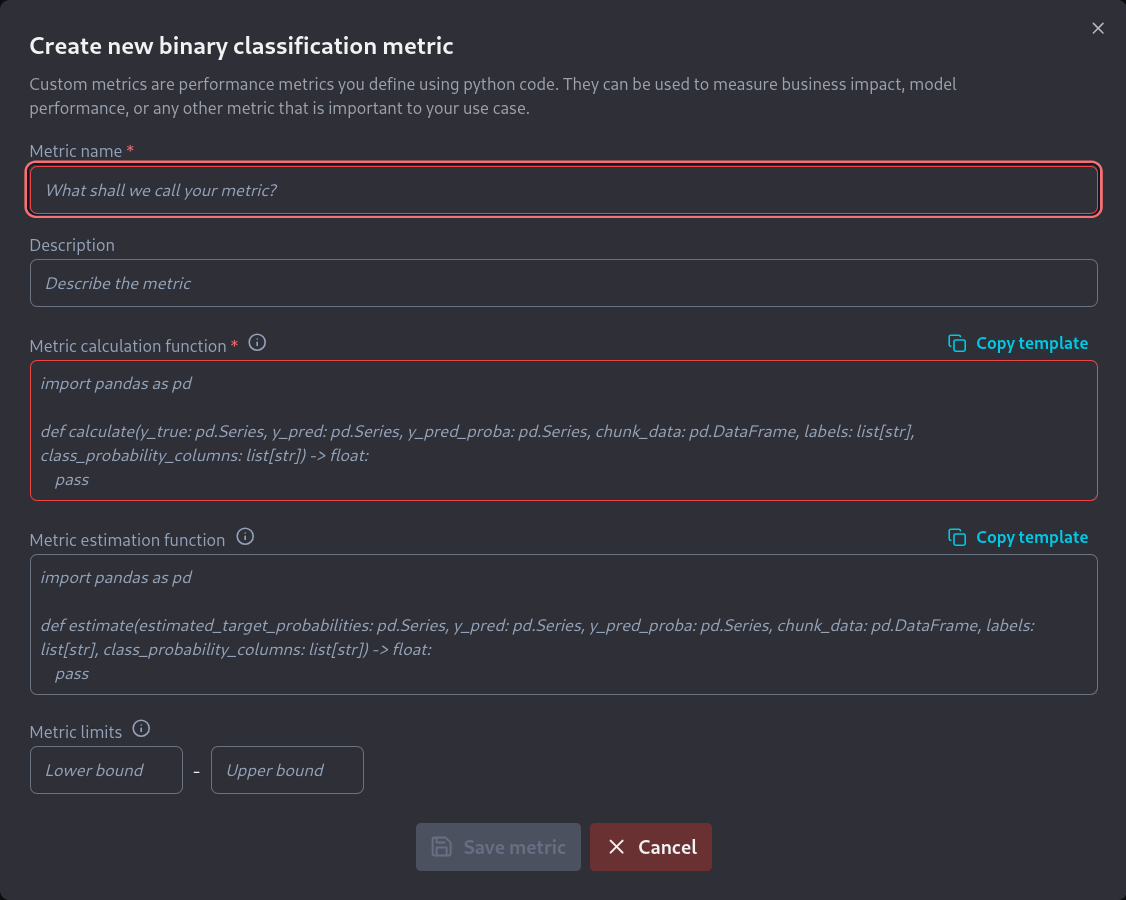
We are then greeted with a new screen where we have to enter the information related to the new metric:

<figure><img src="https://content.gitbook.com/content/XHZtmbIWCoRBaGjIyKin/blobs/Gu8Fb4gdLYXlYEFHp2iB/Screenshot%202024-08-26%20at%2012-53-12%20NannyML.png" alt=""><figcaption><p>New Custom Binary Classification Metric screen</p></figcaption></figure>

As shown we need to fill in the following information:

* A name for the metric.
* A short description of the metric.
* A function that calculates the metric.
* A function that estimates the metric
* The numerical limits of the metric, if they exist.

Developing the code for the required functions is described [here](https://docs.nannyml.com/cloud/v0.24.1/model-monitoring/custom-metrics/creating-custom-metrics/writing-functions-for-binary-classification) for the f\_beta score. The required calculation function is:

```python
import numpy as np
import pandas as pd
from sklearn.metrics import fbeta_score

def calculate(
    y_true: pd.Series,
    y_pred: pd.Series,
    y_pred_proba: pd.DataFrame,
    chunk_data: pd.DataFrame,
    labels: list[str],
    class_probability_columns: list[str],
    **kwargs
) -> float:
    # labels and class_probability_columns are only needed for multiclass classification
    # and can be ignored for binary classification custom metrics
    return fbeta_score(y_true, y_pred, beta=2)
```

while the required estimation function is:

```python
import numpy as np
import pandas as pd

def estimate(
    estimated_target_probabilities: pd.DataFrame,
    y_pred: pd.Series,
    y_pred_proba: pd.DataFrame,
    chunk_data: pd.DataFrame,
    labels: list[str],
    class_probability_columns: list[str],
    **kwargs
) -> float:
    # labels and class_probability_columns are only needed for multiclass classification
    # and can be ignored for binary classification custom metrics

    estimated_target_probabilities = estimated_target_probabilities.to_numpy().ravel()
    y_pred = y_pred.to_numpy()

    # Create estimated confusion matrix elements
    est_tp = np.sum(np.where(y_pred == 1, estimated_target_probabilities, 0))
    est_fp = np.sum(np.where(y_pred == 1, 1 - estimated_target_probabilities, 0))
    est_fn = np.sum(np.where(y_pred == 0, estimated_target_probabilities, 0))
    est_tn = np.sum(np.where(y_pred == 0, 1 - estimated_target_probabilities, 0))

    beta = 2
    fbeta =  (1 + beta**2) * est_tp / ( (1 + beta**2) * est_tp + est_fp + beta**2 * est_fn)
    fbeta = np.nan_to_num(fbeta)
    return fbeta
```

The default metric limits still apply, so we can leave those as they are. These metric limits ensure that the metric thresholds are constrained to these theoretical limits.\
\
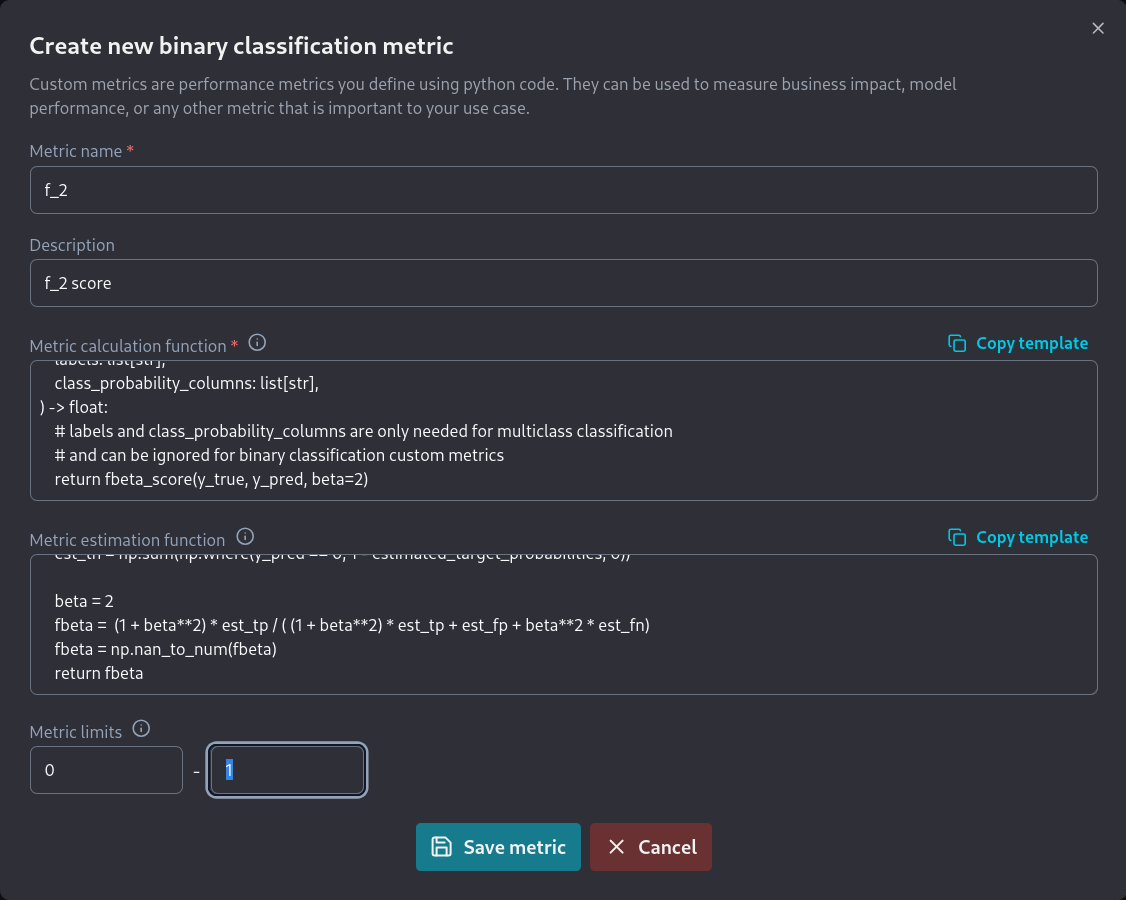
We then fill all this information on  the *new binary classification metric* screen:

<figure><img src="https://content.gitbook.com/content/XHZtmbIWCoRBaGjIyKin/blobs/nMfT4W5KLRFZdXzjuRyH/20240826-3.png" alt=""><figcaption><p>Completing the new binary classification metric screen</p></figcaption></figure>

This results in the new metric now being visible in the *Binary Classification* section of the *Custom Metrics* screen.

<figure><img src="https://content.gitbook.com/content/XHZtmbIWCoRBaGjIyKin/blobs/AX3zqKBUrisr3h0GrHx2/20240826-4.png" alt=""><figcaption><p>f_2 binary classification metric</p></figcaption></figure>

The metric can now be selected for use by any binary classification model from the *Model Settings* page.
{% endtab %}

{% tab title="Multiclass Classification" %}
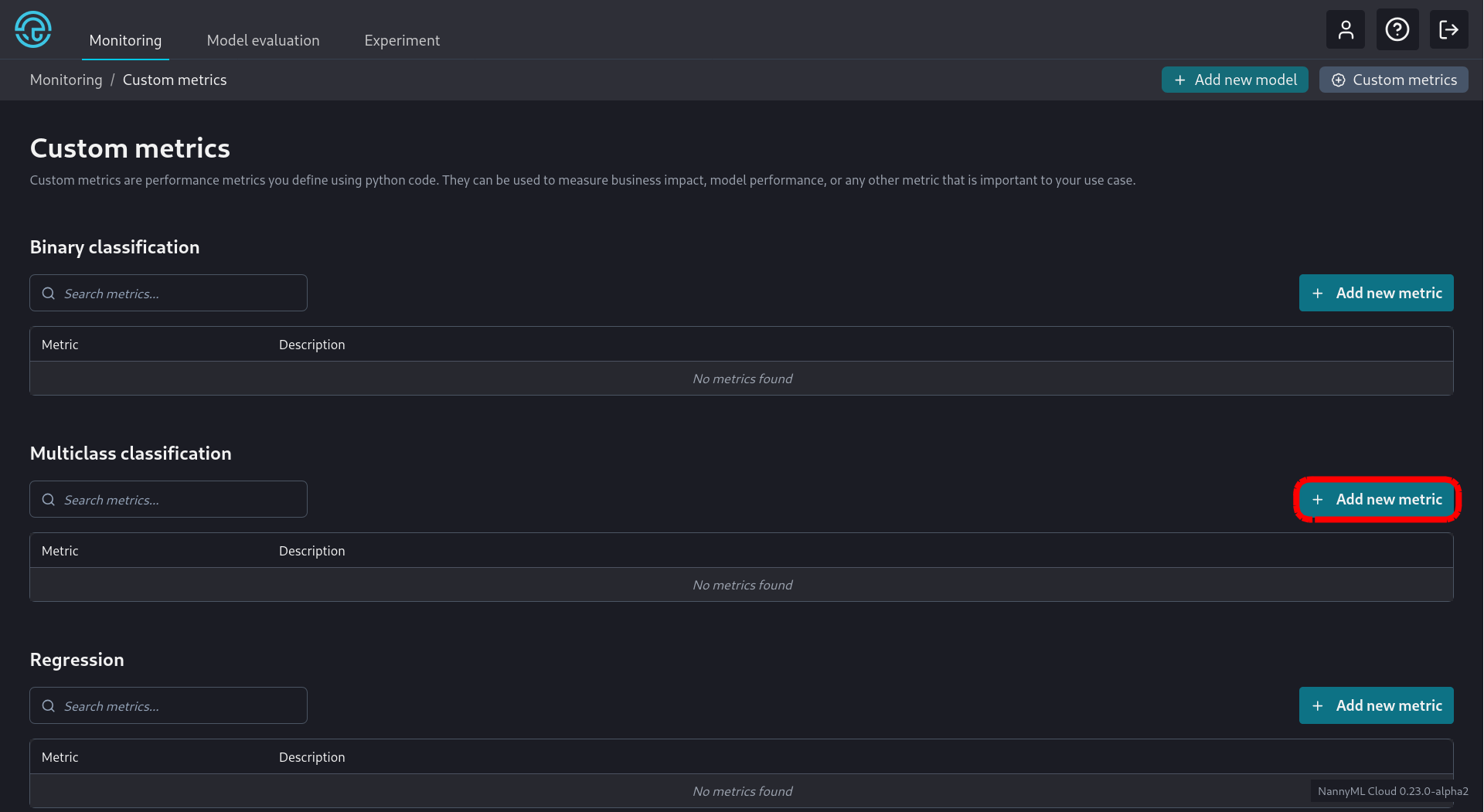
We click the appropriate *Add new metric* button as seen below:

<figure><img src="https://content.gitbook.com/content/XHZtmbIWCoRBaGjIyKin/blobs/waA8xmlgDyMIOe9h25WP/20240826-1b%20MC%20Settings.png" alt=""><figcaption><p>Adding a new Custom Multiclass Classification Metric</p></figcaption></figure>

We are then greeted with a new screen where we have to enter the information related to the new metric:

<figure><img src="https://content.gitbook.com/content/XHZtmbIWCoRBaGjIyKin/blobs/hQJSqStTuhdyC7zwhOTk/20240826-2b.png" alt=""><figcaption><p>New Custom Multiclass Classification Metric screen</p></figcaption></figure>
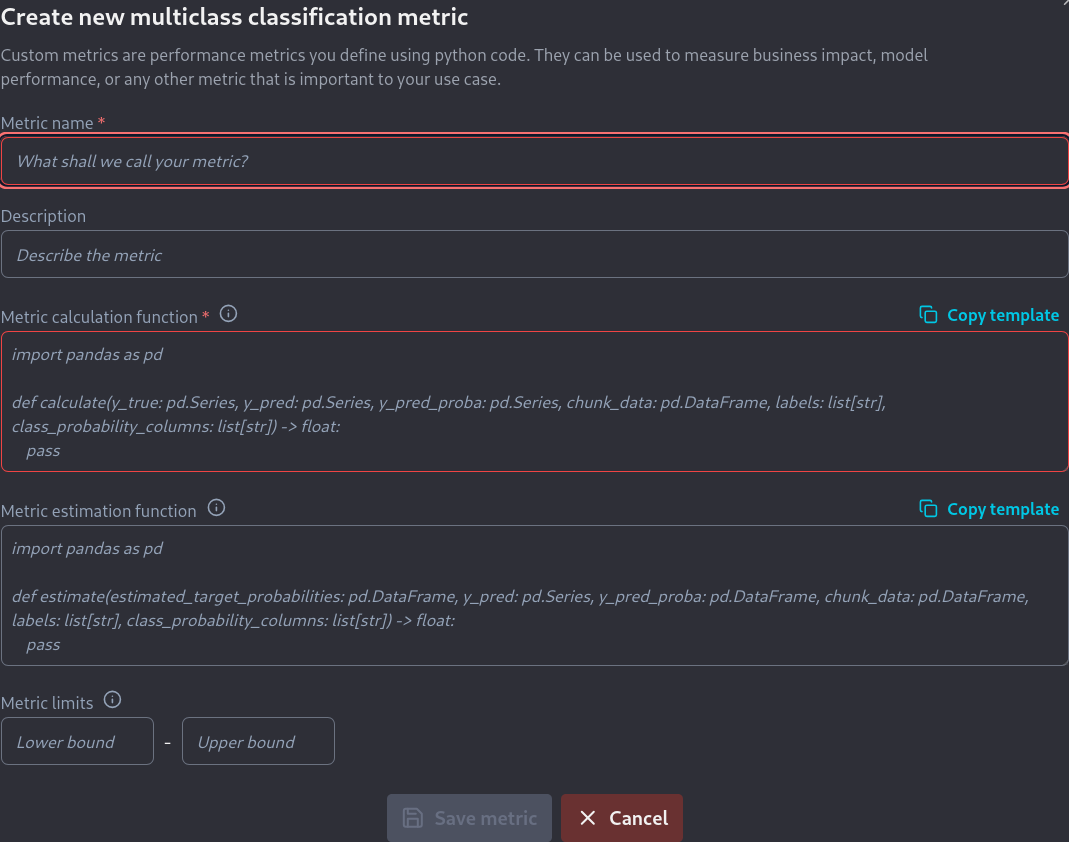
As shown we need to fill in the following information:

* A name for the metric.
* A short description of the metric.
* A function that calculates the metric.
* A function that estimates the metric
* The numerical limits of the metric, if they exist.

Developing the code for the required functions is described [here](https://docs.nannyml.com/cloud/v0.24.1/model-monitoring/custom-metrics/creating-custom-metrics/writing-functions-for-multiclass-classification) for the f\_beta score. The required calculate function is:

```python
import pandas as pd
from sklearn.metrics import fbeta_score

def calculate(
    y_true: pd.Series,
    y_pred: pd.Series,
    y_pred_proba: pd.DataFrame,
    chunk_data: pd.DataFrame,
    labels: list[str],
    class_probability_columns: list[str],
) -> float:
    return fbeta_score(y_true, y_pred, beta=2, average='macro')
```

while the required estimate function is:

```python
import numpy as np
import pandas as pd
from sklearn.preprocessing import label_binarize

def estimate(
    estimated_target_probabilities: pd.DataFrame,
    y_pred: pd.Series,
    y_pred_proba: pd.DataFrame,
    chunk_data: pd.DataFrame,
    labels: list[str],
    class_probability_columns: list[str],
):
    beta = 2

    def estimate_fb(_y_pred, _y_pred_proba, beta) -> float:
        # Estimates the Fb metric.
        #
        # Parameters
        # ----------
        # y_pred: np.ndarray
        #     Predicted class label of the sample
        # y_pred_proba: np.ndarray
        #     Probability estimates of the sample for each class in the model.
        # beta: float
        #     beta parameter
        #
        # Returns
        # -------
        # metric: float
        #     Estimated Fb score.
        

        est_tp = np.sum(np.where(_y_pred == 1, _y_pred_proba, 0))
        est_fp = np.sum(np.where(_y_pred == 1, 1 - _y_pred_proba, 0))
        est_fn = np.sum(np.where(_y_pred == 0, _y_pred_proba, 0))
        est_tn = np.sum(np.where(_y_pred == 0, 1 - _y_pred_proba, 0))

        fbeta =  (1 + beta**2) * est_tp / ( (1 + beta**2) * est_tp + est_fp + beta**2 * est_fn)
        fbeta = np.nan_to_num(fbeta)
        return fbeta

    estimated_target_probabilities = estimated_target_probabilities.to_numpy()
    y_preds = label_binarize(y_pred, classes=labels)

    ovr_estimates = []
    for idx, _  in enumerate(labels):
        ovr_estimates.append(
            estimate_fb(
                y_preds[:, idx],
                estimated_target_probabilities[:, idx],
                beta=2
            )
        )
    multiclass_metric = np.mean(ovr_estimates)

    return multiclass_metric
```

The default metric limits still apply, so we can leave those as they are. These metric limits ensure that the metric thresholds are constrained to these theoretical limits.

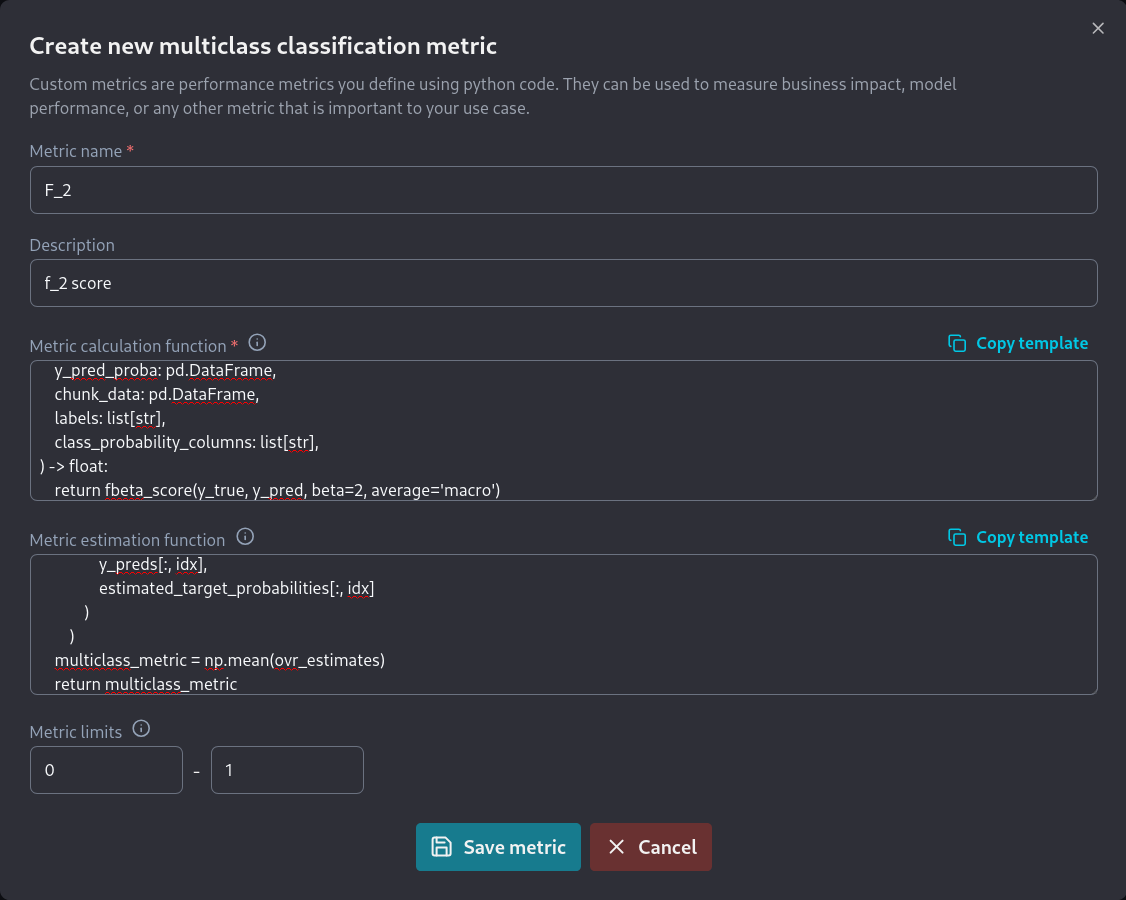
We then fill all this information on  the new multiclass classification metric screen:

<figure><img src="https://content.gitbook.com/content/XHZtmbIWCoRBaGjIyKin/blobs/pCGziXdo1gDR6J8qKxyE/20240826-5.png" alt=""><figcaption><p>Completing the new multiclass classification metric screen</p></figcaption></figure>

This results in the new metric now being visible in the *Binary Classification* section of the *Custom Metrics* screen.

<figure><img src="https://content.gitbook.com/content/XHZtmbIWCoRBaGjIyKin/blobs/qoA5gwhUbpSkffSET1Do/20240826-6.png" alt=""><figcaption><p>F_2 multiclass classification metric</p></figcaption></figure>

The metric can now be selected for use by any multiclass classification model from the *Model Settings* page.
{% endtab %}

{% tab title="Regression" %}
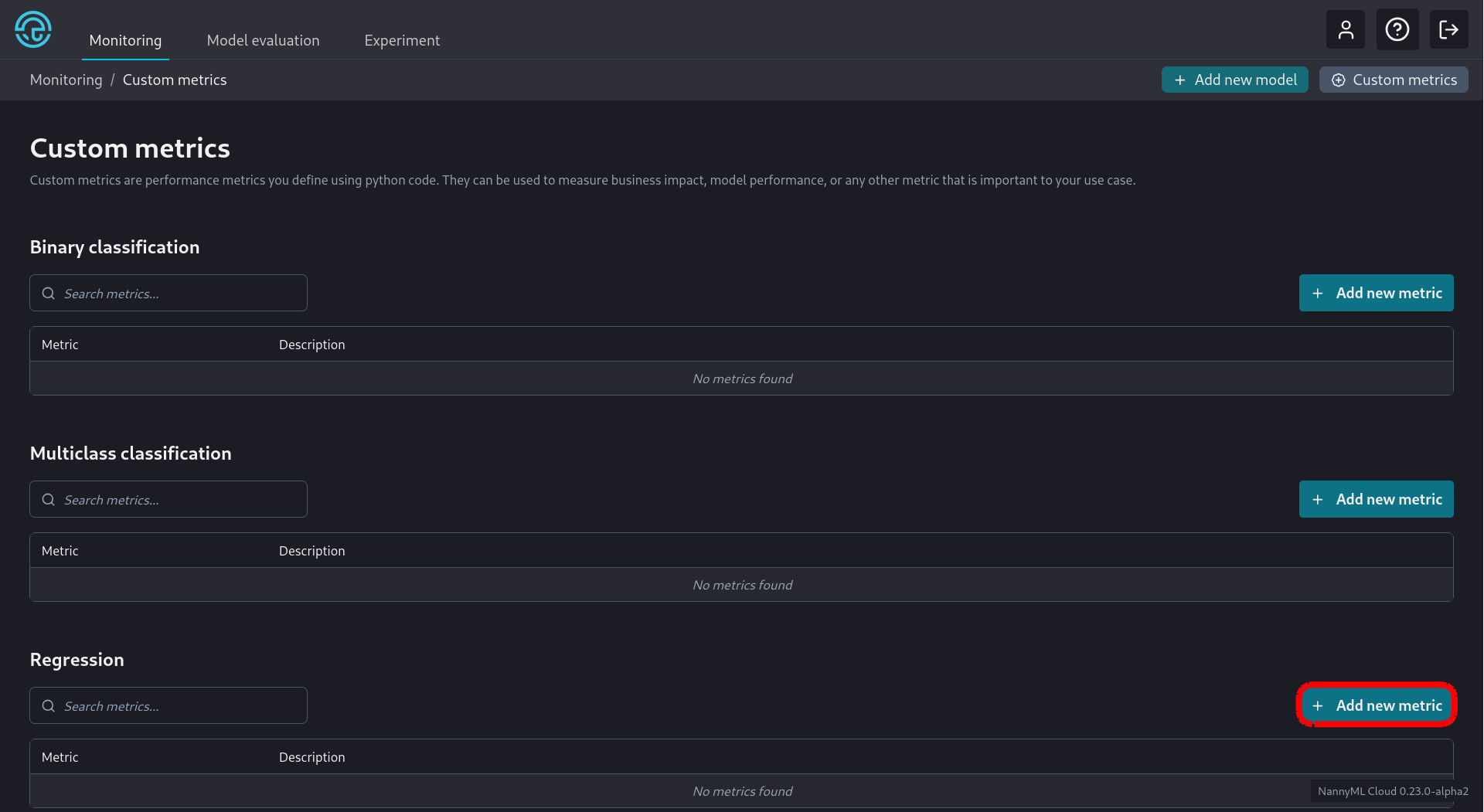
We click the appropriate *Add new metric* button as seen below:

<figure><img src="https://content.gitbook.com/content/XHZtmbIWCoRBaGjIyKin/blobs/zzpdZA7P1jtYMIxhxjqQ/20240826-1c%20REG%20Settings.png" alt=""><figcaption><p>Adding a new Custom Regression Metric</p></figcaption></figure>

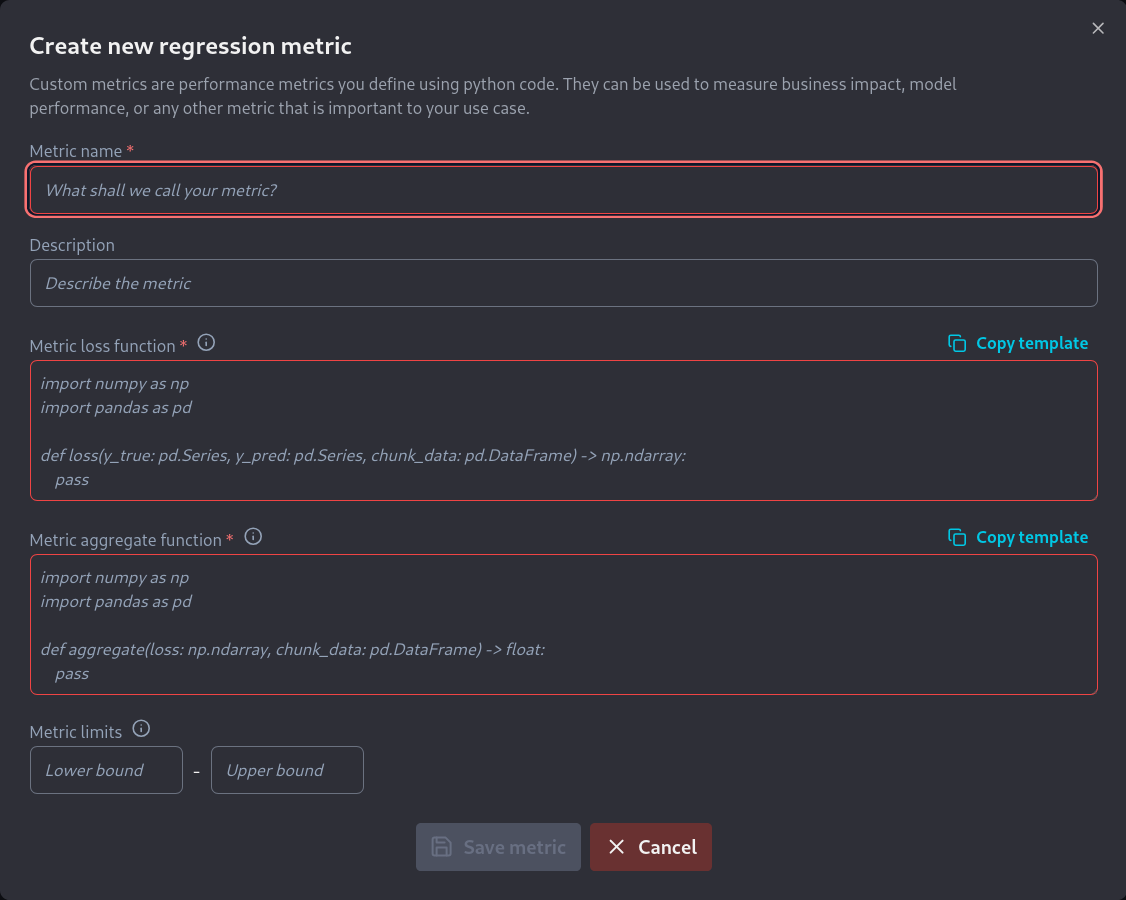
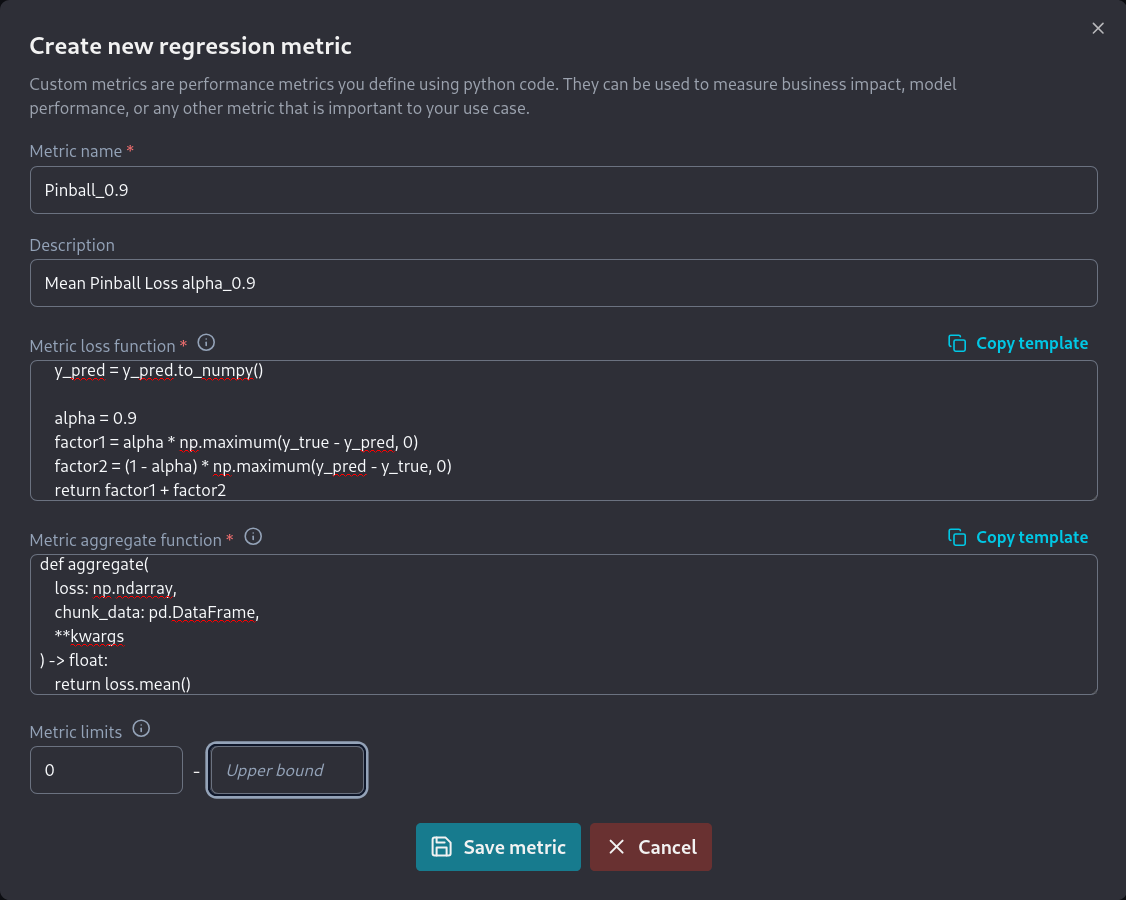
We are then greeted with a new screen where we have to enter the information related to the new metric:

<figure><img src="https://content.gitbook.com/content/XHZtmbIWCoRBaGjIyKin/blobs/A71jAm16x0SE5rdQznog/20240826-2c.png" alt=""><figcaption><p>New Custom Regression Metric screen</p></figcaption></figure>

As shown we need to fill in the following information:

* A name for the metric.
* A short description of the metric.
* A function that calculates the loss of the metric.
* A function that aggregates the loss results in order to calculate the metric
* The numerical limits of the metric, if they exist.

Developing the code for the required functions is described [here](https://docs.nannyml.com/cloud/v0.24.1/model-monitoring/custom-metrics/creating-custom-metrics/writing-functions-for-regression) for the pinball score. The required loss function is:

```python
import numpy as np
import pandas as pd

def loss(
    y_true: pd.Series,
    y_pred: pd.Series,
    chunk_data: pd.DataFrame,
    **kwargs
) -> np.ndarray:
    y_true = y_true.to_numpy()
    y_pred = y_pred.to_numpy()

    alpha = 0.9
    factor1 = alpha * np.maximum(y_true - y_pred, 0)
    factor2 = (1 - alpha) * np.maximum(y_pred - y_true, 0)
    return factor1 + factor2
```

while the required aggregate function is:

```python
import numpy as np
import pandas as pd

def aggregate(
    loss: np.ndarray,
    chunk_data: pd.DataFrame,
    **kwargs
) -> float:
    return loss.mean()
```

The default metric limits still apply, so we can leave those as they are. These metric limits ensure that the metric thresholds are constrained to these theoretical limits.

We then fill all this information on  the *new regression metric* screen:

<figure><img src="https://content.gitbook.com/content/XHZtmbIWCoRBaGjIyKin/blobs/Fpnd8MoVEgHzrTIDclnE/20240828-4.png" alt=""><figcaption><p>Completing the new regression metric screen</p></figcaption></figure>

This results in the new metric now being visible in the *Regression* section of the *Custom Metrics* screen.

<figure><img src="https://content.gitbook.com/content/XHZtmbIWCoRBaGjIyKin/blobs/6RT0eRTEgCzvKDLu7nxK/20240828-5.png" alt=""><figcaption><p>F_2 multiclass classification metric</p></figcaption></figure>

The metric can now be selected for use by any regression model from the *Model Settings* page.
{% endtab %}
{% endtabs %}

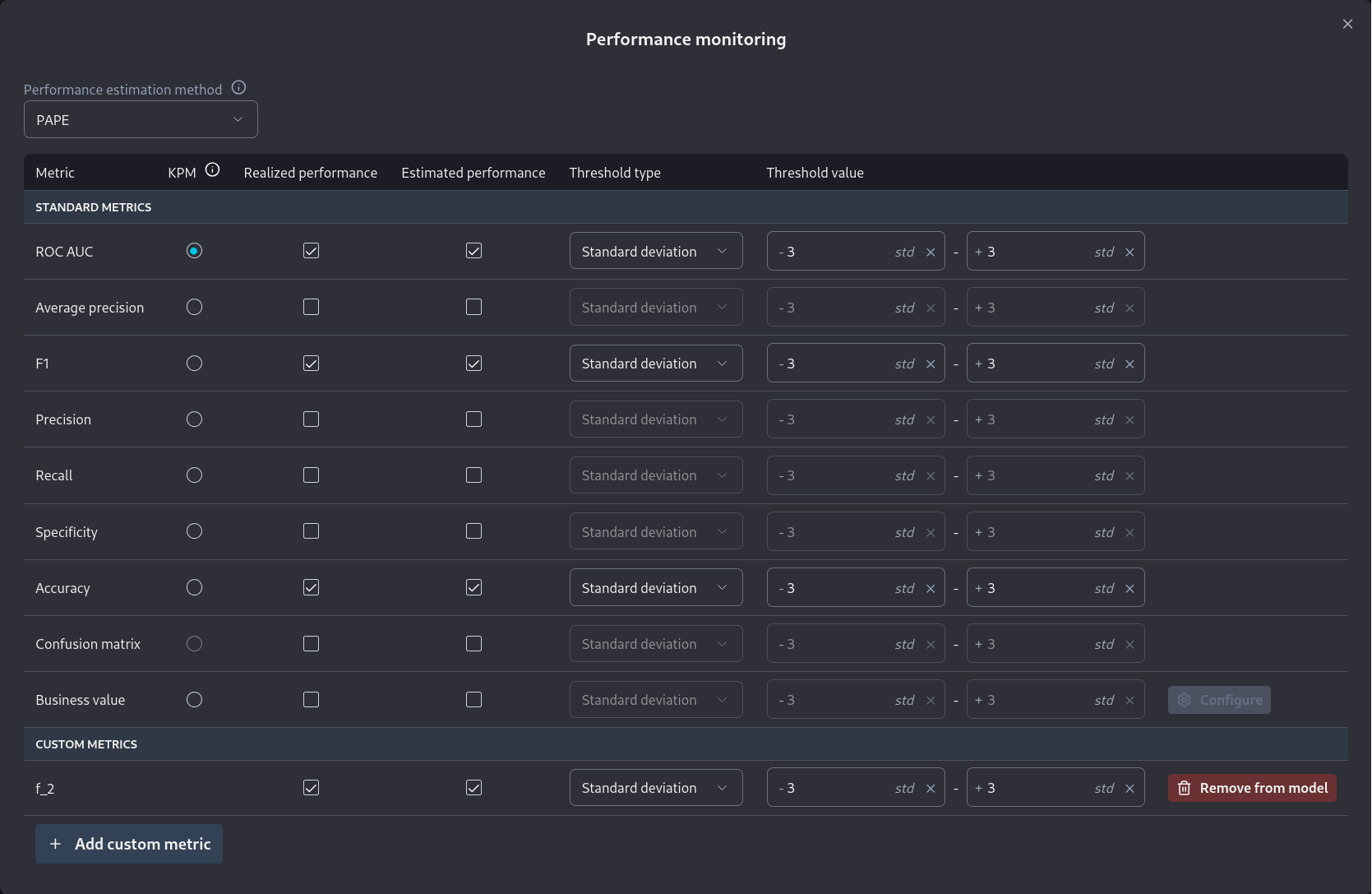
Note that once custom metrics are added they can be selected during the *Add new model* wizard. You can see the relevant step for binary classification in the screenshot below:

<figure><img src="https://content.gitbook.com/content/XHZtmbIWCoRBaGjIyKin/blobs/3PZ8KZ9XGflbPTLcG3tU/20240826-9.png" alt=""><figcaption><p>Enabling a custom metric during the Add new model wizard.</p></figcaption></figure>

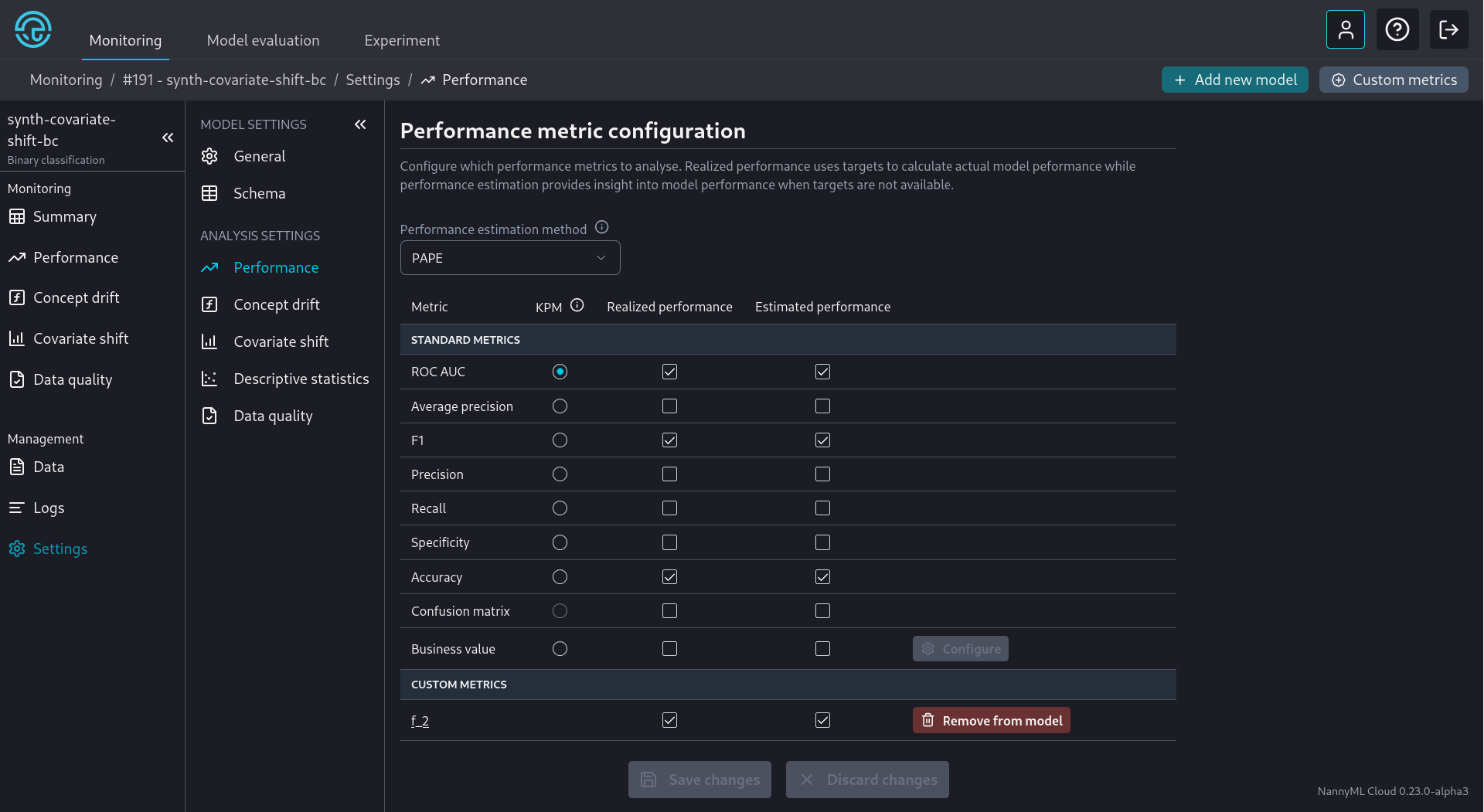
Custom metrics can also be selected from a model's *settings* page

<figure><img src="https://content.gitbook.com/content/XHZtmbIWCoRBaGjIyKin/blobs/FHa5Iu291aYszkXSDeEJ/20240826-10.png" alt=""><figcaption><p>Selecting Custom Metrics from a model's Performance Settings</p></figcaption></figure>