> For the complete documentation index, see [llms.txt](https://docs.nannyml.com/cloud/llms.txt). Markdown versions of documentation pages are available by appending `.md` to page URLs; this page is available as [Markdown](https://docs.nannyml.com/cloud/v0.24.2/nannyml-cloud-sdk/example/setting-up-continuous-monitoring.md).
# Setting up continuous monitoring
It is also worth noting that you can trigger a monitoring run whenever you want (e.g., after adding 1000 observations) by calling the `trigger` method from the [Run](https://nannyml.github.io/nannyml-cloud-sdk/api_reference/monitoring/run/). The previous three steps allow you to monitor an ML on the analysis data previously set. But once new production data is available, you might want to know how your model is performing on it. class.
You can load any previously set model by searching for it by name. Then, it's a matter of loading the new model predictions, adding them to the model using the method `add_analysis_data`, and triggering a new monitoring run.
```python
# Find the previous model in NannyML Cloud by name
model, = nml_sdk.monitoring.Model.list(name='Example model')
# Add new inferences to NannyML Cloud
new_inferences = pd.DataFrame()
nml_sdk.monitoring.Model.add_analysis_data(model['id'], new_inferences)
# Trigger analysis of the new data
nml_sdk.monitoring.Run.trigger(model['id'])
```
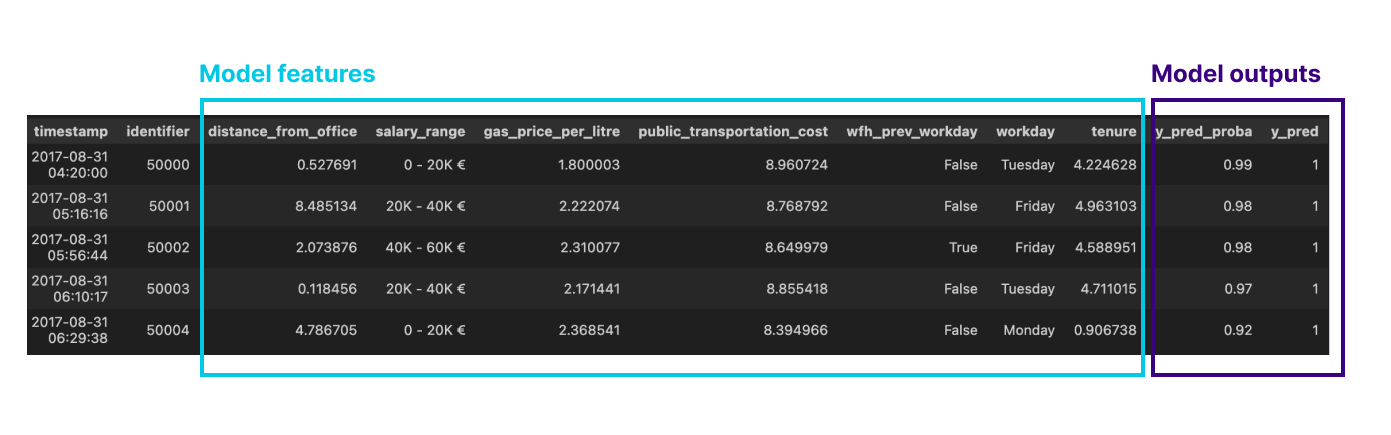
`new_inferences` can be a dataset with several new model inferences:
or even a single observation:
It is also worth noting that you can trigger a monitoring run whenever you want (e.g., after adding 1000 observations) by calling the `trigger` method from the [Run](https://nannyml.github.io/nannyml-cloud-sdk/api_reference/monitoring/run/) class.
.png)